Why script to video is hard
A script describes people, places and moments across many scenes. To turn it into video, someone has to decide who each character is and what they look like, where each scene happens, how the story splits into shots, and what the camera does in each one. Then every shot has to be generated so that it matches the last.
General AI video tools skip all of that. You write a prompt, you get a clip, and the next clip has no idea what came before. Poiema does the planning first, the way a production would.
How Poiema turns a script into a film
1. Paste your script
Start a project and paste your screenplay, story or outline. Choose drama for scenes with dialogue or narration for a voice-over led piece, and pick the aspect ratio for where it will be watched.
2. Pip builds the cast and the world
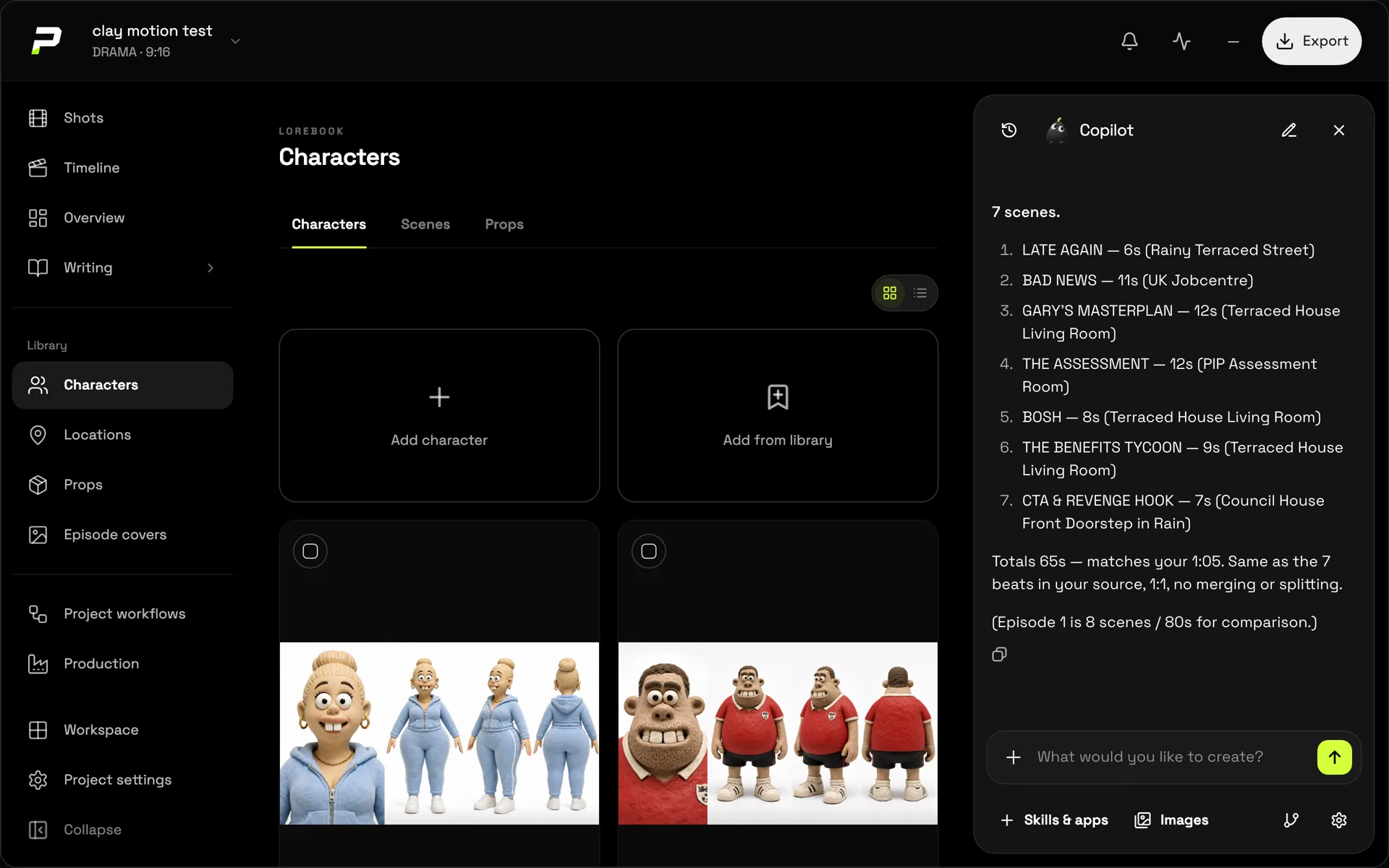
Pip reads the whole script and extracts every character, location and prop, with a description of each. They go into your project's lorebook, where you can give each one reference images and looks. These references are what keep your film consistent later.
3. Pip plans the episodes and the shots
Long scripts are split into episodes, and each episode into shots. Every shot gets a description of the action, the camera move, the lighting and the characters in frame, with the dialogue kept exactly as written.
4. You review before anything is generated
The plan is easy to change. Pip stops before image or video generation so you can read it, adjust shots, swap a location or rewrite a line. When it looks right, you generate.
5. Generate, direct and assemble
Generate a storyboard frame or a reference plan for each shot, then the video, choosing the model per shot. Review the takes, regenerate the ones you want to improve, add voice-over and export the finished film. The storyboard generator page explains the storyboard step in more detail.
What makes the result hold together
- One cast for the whole script. Characters are defined once, with reference images, and reused in every shot.
- Locations and props that stay put. The diner keeps its neon sign; the car keeps its colour.
- A style that directs, not just decorates. Your chosen film style shapes camera movement, acting and pacing across every shot.
- Dialogue that stays yours. Lines are kept verbatim and tied to the speaker.
Good fits for script to video
- Short films and pilots you want to see before you shoot
- Animated stories and web series
- Narrated explainers and story channels
- Pitch and proof-of-concept videos
Read the full walkthrough in our guide to turning a script into a video with AI.