Checked against LTX Studio's official pages on 28 September 2026. LTX's pricing page still showed older promotional labels on that date; follow the source links for current details.
The short answer
- Choose Poiema for story projects that need consistent characters and a strong directed style, with voice-over built in and leading third-party models on every paid plan.
- Choose LTX Studio if you want LTX's own open-weights video models, pitch decks from your storyboards, lip sync and dubbing in many languages, or a free plan for personal projects.
At a glance
| Poiema | LTX Studio | |
|---|---|---|
| Describes itself as | The AI film studio | "The AI platform for video production" (source) |
| Script to shots | Pip, the Copilot, plans cast, locations, episodes and shots | Upload a script and it is broken into scenes and shots, with Elements extracted (source) |
| Characters | Lorebook references and named looks | Elements for characters, objects and locations (source) |
| Visual styles | 200+ film styles that set camera, acting and pacing | Style and camera controls in the shot editor (source) |
| Storyboards | A frame or reference plan for every shot | AI storyboards on Standard and above (source) |
| Video models | Veo 3.1, Kling 3, Seedance 2, Runway Gen-4.5 and more | LTX-2.5 and LTX-2.3, plus Kling, Seedance and Veo 3.1 on higher plans (source) |
| Clip length | Depends on the model you choose | 3 to 20 seconds depending on model (source) |
| Voice and lip sync | ElevenLabs and Cartesia voice-over | Lip sync and dubbing in 175+ languages (source) |
| Export | MP4 and CapCut draft | MP4, storyboards and PDF pitch decks (source) |
| Free option | $1 trial with 100 credits | Free plan, 800 one-time credits, personal use only (source) |
| Paid plans from | $29/month | $15/month, or $12/month billed yearly (source) |
Workflow
Both tools start from a script. LTX Studio breaks it into scenes and shots, extracts characters, objects and locations as reusable Elements, and lets you work on a timeline with camera control and keyframes (source).
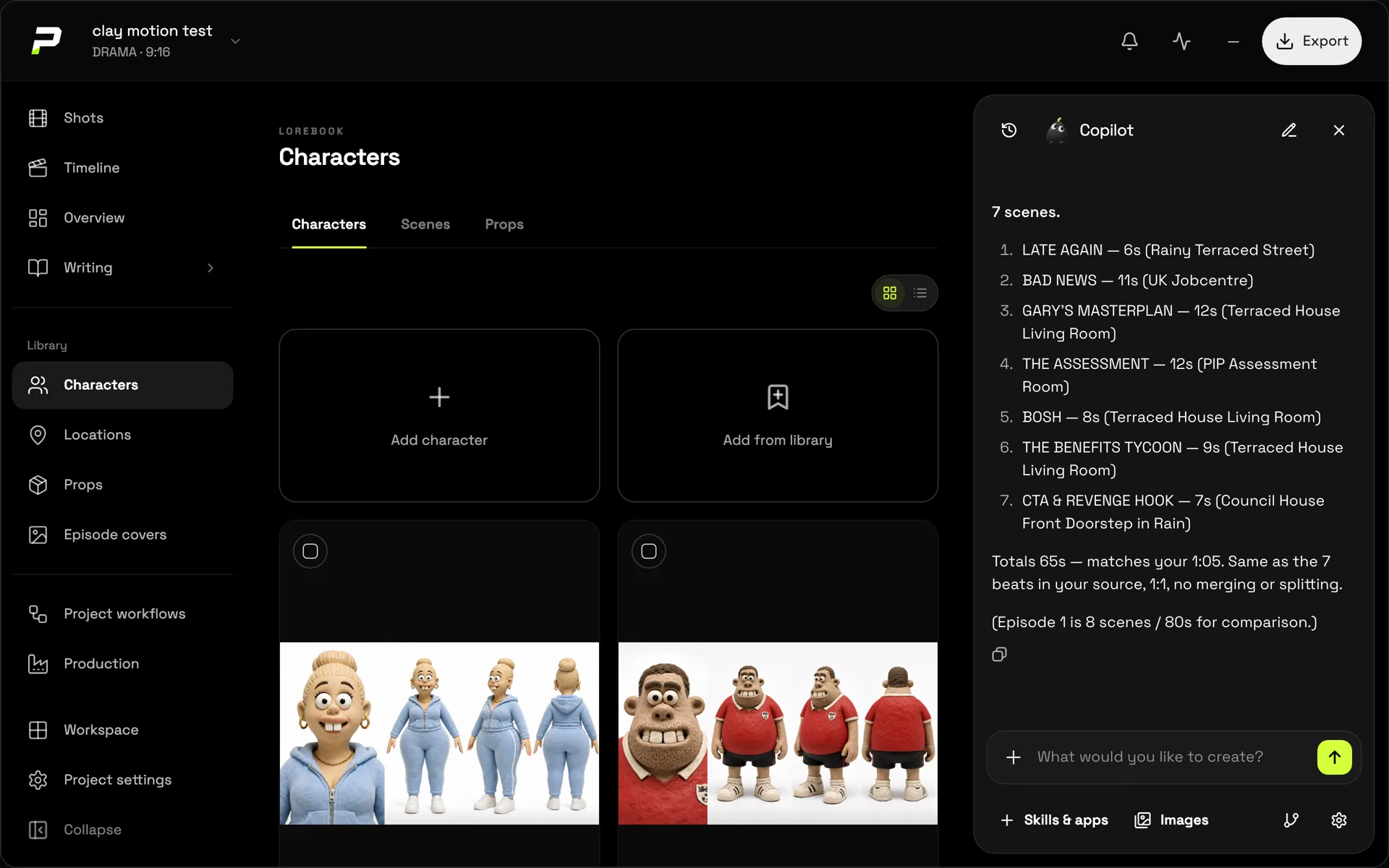
Poiema's Copilot, Pip, plans the cast, locations and props, splits long scripts into episodes and plans every shot's camera, lighting and action, keeping your dialogue exactly as written. You review the plan before any image or video is generated. See script to video.
Style and consistency
Poiema's 200+ film styles direct more than colour: each one sets how the camera moves, how characters act and how fast scenes cut. Characters get named looks, so outfit changes happen exactly where the story says. Read more on consistent AI characters.
Models by plan
LTX Studio lists LTX-2.5 and LTX-2.3 on its free plan, adds Kling, Seedance, Nano Banana and FLUX.2 on Standard, and Veo 3.1 on Pro (source). It also notes it does not guarantee the continued availability of any specific model.
Poiema offers its model line-up, including Veo 3.1, Kling 3, Seedance 2 and Runway Gen-4.5, on every paid plan, and you choose the model per shot. Each model's credit price is shown before you generate.
Pricing
LTX Studio (from its pricing page on 28 September 2026):
| Plan | Price | Credits |
|---|---|---|
| Free | $0 | 800, one time (personal use) |
| Lite | $15/month | 8,000/month |
| Standard | $35/month | 28,000/month |
| Pro | $125/month | 110,000/month |
LTX credits are not directly comparable to Poiema's; each tool charges different amounts per action (source).
Poiema starts with a $1 trial including 100 credits, then plans from $29 a month for 1,500 credits.
Where LTX Studio is stronger
- Its own open-weights models, LTX-2.5 and LTX-2.3
- Pitch decks exported from storyboards
- Lip sync and dubbing in 175+ languages
- A free plan for personal projects
- Real-time project collaboration
Where Poiema is stronger
- 200+ film styles that direct camera, acting and pacing
- Named looks for deliberate costume and state changes
- Top third-party models on every paid plan, including Veo 3.1 and Runway Gen-4.5
- Built-in voice-over with ElevenLabs and Cartesia voices
- CapCut export for the final edit
Bottom line
Both are serious script-to-video studios. Poiema leans into directed style, consistent casts and a wide choice of leading models on every plan. LTX Studio stands out for its own models, pitch decks and multilingual lip sync.