Checked against Google's official Flow pages and help center on 1 October 2026. Prices and features change; follow the source links for the latest.
The short answer
- Choose Poiema if you are making a story with recurring characters, want the studio to plan it from your script, and want to mix Veo 3.1 with other models such as Kling 3, Seedance 2 and Runway Gen-4.5.
- Choose Google Flow if you want Google's own Veo 3.1 and Gemini Omni with a free daily allowance, native audio, conversational video editing and mobile apps, bundled with a Google AI plan.
At a glance
| Poiema | Google Flow | |
|---|---|---|
| Built around | Your film project: script, cast, world and shots | A prompt box, an agent and a canvas for Google's models (source) |
| Script to shots | Pip plans the cast, locations, episodes and shot list | The agent can outline storyboards; Scenebuilder orders clips (source) |
| Character consistency | Lorebook references and named looks used in every shot | Characters with 1 to 2 images, a name and a voice; ingredients for objects and places (source) |
| Video models | Veo 3.1, Kling 3, Seedance 2, Runway Gen-4.5 and more | Veo 3.1 Lite, Fast and Quality; Gemini Omni Flash 1.1; Google models only (source) |
| Visual styles | 200+ film styles that set camera, acting and pacing | Style comes from prompts and ingredients |
| Editing | Creative Studio edit, extend and motion control; CapCut export | Omni video-to-video editing, extend for Veo clips, 4K upscale on Ultra (source) |
| UK limits | None | No self avatars or uploaded-video editing in the UK, EEA or Switzerland (source) |
| Free option | $1 trial with 100 credits | 50 credits a day without a subscription (source) |
| Paid plans from | $29/month (1,500 credits) | Google AI Plus, $4.99/month, adds 200 Flow credits a month (source) |
Workflow: a film plan vs a model studio
Flow is built around a prompt box with an optional agent that can outline storyboards, make mood boards, generate and organise media. Its Scenebuilder puts clips in order, trims them and plays the sequence (source). Structuring the story is up to you and the agent.
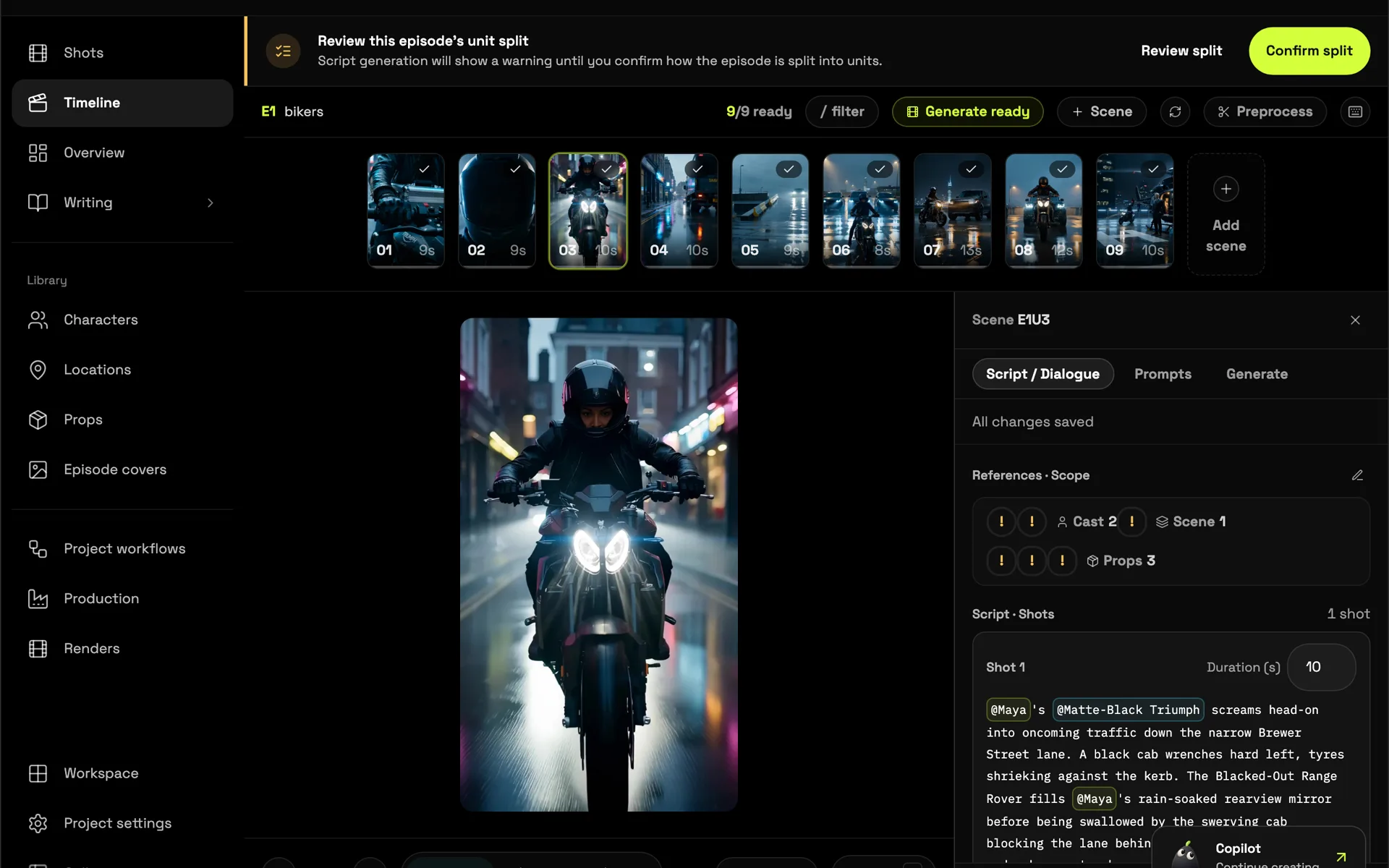
Poiema keeps the story as a project. Pip, the Copilot, reads your script and builds the cast, locations and props, splits it into episodes and shots, and plans each shot's camera, lighting and action. Read more on script to video.
Character consistency
Flow's Characters combine one or two images, a name and a voice, and Google says the face, clothing and voice stay consistent across generations; ingredients carry objects and places from clip to clip (source). In Poiema, every character has reference images and named outfits in the project's lorebook, and Poiema passes them into each shot automatically. See consistent AI characters.
Models
Flow offers Google's models: Veo 3.1 Lite, Fast and Quality, Gemini Omni Flash 1.1, and the Nano Banana image models (source). Poiema includes Veo 3.1 and Nano Banana too, alongside Kling 3, Seedance 2 and Runway Gen-4.5, so you can pick the best model for each shot without leaving the project.
Pricing
Google Flow (US prices from Google's Flow page on 1 October 2026; prices vary by market):
| Plan | Price | Flow credits |
|---|---|---|
| No subscription | Free | 50 a day |
| Google AI Plus | $4.99/month | 50 a day + 200 a month |
| Google AI Pro | $19.99/month | 50 a day + 1,000 a month |
| Google AI Ultra | $99.99/month | 50 a day + 10,000 a month |
| Google AI Ultra | $199.99/month | 50 a day + 25,000 a month |
Flow lists Veo 3.1 Fast at 20 credits and Veo 3.1 Quality at 100 credits per generation (source). Google AI plans also include Gemini and storage.
Poiema starts with a $1 trial including 100 credits, then plans from $29 a month for 1,500 credits. Every Generate button shows its credit price before anything runs. See pricing.
Where Google Flow is stronger
- A free daily allowance of 50 credits
- Google's own Veo 3.1 and Gemini Omni at low credit prices
- Conversational video editing and 4K upscaling on Ultra
- Mobile apps and Google Workspace availability
- Bundled with Gemini and Google storage
Where Poiema is stronger
- A story-first workflow from script to cast, episodes and shot list
- Models beyond Google: Kling 3, Seedance 2 and Runway Gen-4.5 next to Veo 3.1
- Series as projects: every episode reuses one cast, world and look
- 200+ film styles that direct camera, acting and pacing
- The same features in the UK as in the US
Bottom line
If you want Google's models with a free daily allowance, Flow is excellent value. If you are telling a story across many shots or episodes and want the studio to keep the cast consistent while you mix models, Poiema is built for that.