A script is the best possible starting point for an AI video. It already knows who is in the story, where it happens and what is said. The work is translating that into something a video model can make, one consistent shot at a time. Here is how to do it.
Step 1: Prep the script
AI reads your script literally, so a little cleanup pays off:
- Clear scene headings.
INT. DINER – NIGHTtells the planner the location and the lighting. - Visual action lines. Describe what we see, not what characters think. "She slides the envelope across the table" works; "she feels guilty" doesn't.
- Consistent character names. If Sam is also "Samantha" and "the detective", the planner may think they are three people.
- Short dialogue per beat. A line needs to fit in a clip. Break long speeches across shots.
If you don't have a formatted screenplay, a clear story or outline works too. Narrated pieces should have the voice-over written in full.
Step 2: Choose the format
Decide before planning:
| Choice | Options |
|---|---|
| Delivery | Drama with dialogue, or narration led by voice-over |
| Aspect ratio | 9:16 for TikTok, Reels and Shorts; 16:9 for YouTube and film |
| Visual style | Live action, 3D, anime, clay, cartoon and more |
| Length | Per episode, if the script is long |
In Poiema you set these when you start a project. The style shapes camera, acting and pacing for every shot.
Step 3: Extract the cast, locations and props
Go through the script and list every character, location and prop that appears on screen, with a short description of each. This becomes your production bible.
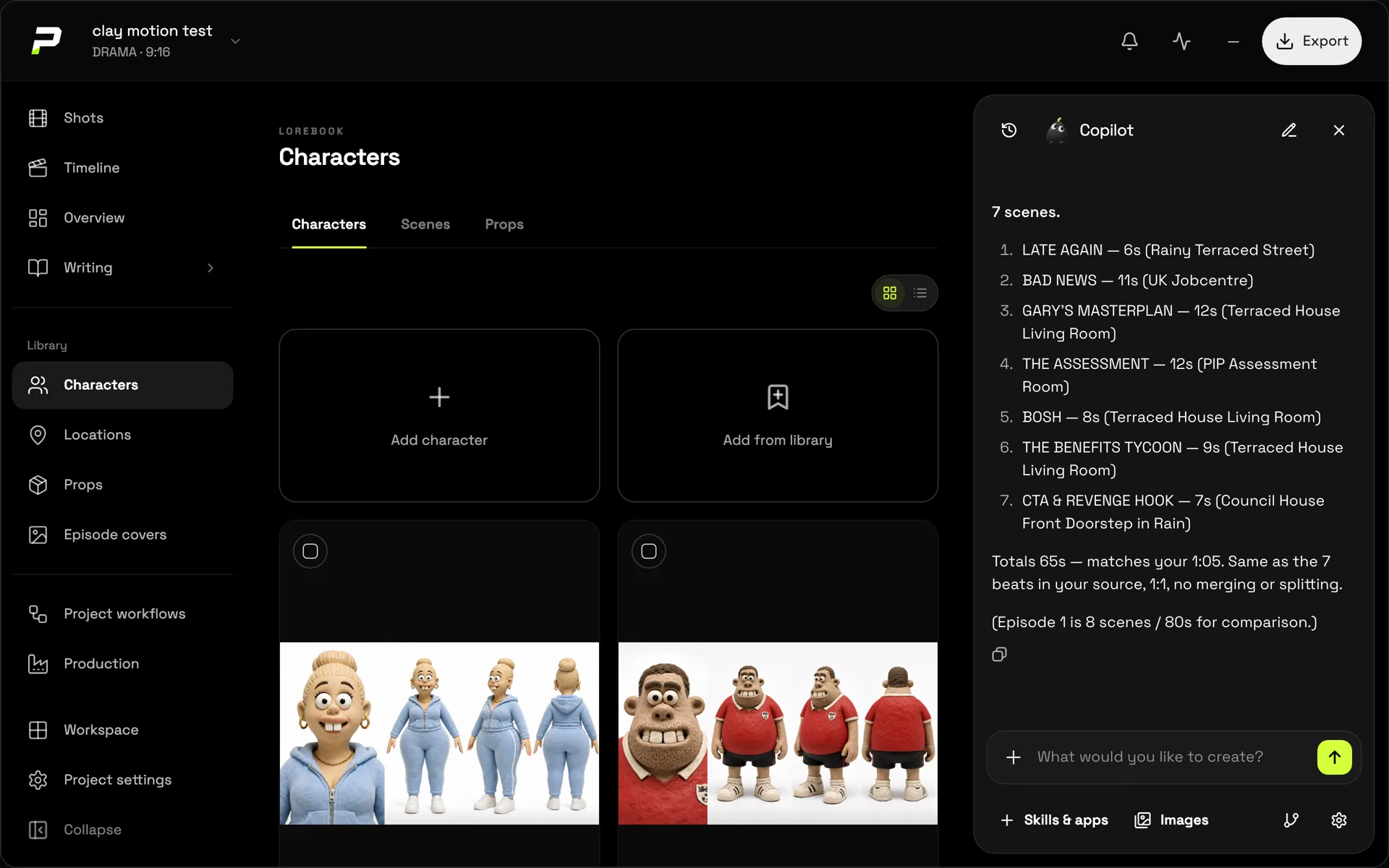
Pip, Poiema's AI Copilot, does this extraction for you. Every character, location and prop goes into the project's lorebook, where you can adjust descriptions before any image is made.
Step 4: Design references for everything
Generate or upload a reference image for each character, location and key prop. Characters who change clothes get a named look for each outfit. These references are what keep the film consistent. The consistency guide covers how to make good ones.
Step 5: Build the shot list
Now split each scene into shots. For every shot, write:
- Shot size and angle, for example a medium shot at eye level
- Camera move, for example a slow push-in
- Action, what happens, in order
- Lighting, matching the scene's time and mood
- Cast, who is in frame and in which look
- Dialogue, the exact line, if any
Keep most shots between 4 and 10 seconds. Long shots are harder to generate well and harder to edit.
Poiema's Copilot drafts this list from your script, keeping your dialogue exactly as written, and pauses so you can edit it before generating images or video. See script to video.
Step 6: Storyboard, then fix the board
Generate a still frame for every shot and review them in order, like a comic. This is where you catch problems cheaply:
- A character in the wrong outfit
- A location that doesn't match the last shot
- Shot sizes that repeat and flatten the scene
- A beat that isn't clear without words
Fix the shot descriptions and regenerate only the frames that changed. More on this in the AI storyboard generator.
Step 7: Generate the video
Turn each board frame into a clip. Two approaches:
- First-frame generation starts the video from the storyboard frame, so the shot matches the board exactly.
- Reference generation builds the shot from the character, location and prop references, giving the model more freedom in composition.
Choose the video model shot by shot. Dialogue close-ups, action and stylised animation each suit different models, and Poiema lets you switch without losing your cast.
Step 8: Review every take
Watch each clip against the script:
- Is the action right, in the right order?
- Is the line spoken by the right character, word for word?
- Does the character match their reference?
- Does it cut with the shot before and after?
Regenerate the ones that miss. Keep the rest.
Step 9: Sound and edit
Add voice-over or dialogue audio, ambience and music. Assemble the shots in script order, then trim: AI clips often start slowly, and a few frames off the head of each shot tightens the whole film. Poiema assembles the sequence and exports the finished video, or sends it to CapCut for detailed editing.
Step 10: Iterate on the script, not just the shots
If a scene doesn't work on screen, the fix is often in the script: a clearer action line, a shorter speech, a scene that starts later. Because your cast and world are saved in the project, you can rewrite a scene and regenerate just those shots.
Common mistakes
- Generating video before designing the cast. Every shot invents new people.
- Writing feelings instead of actions. The camera can only show what happens.
- Long monologues in one shot. Split them.
- Skipping the storyboard. Problems cost more to fix once they are video.
- One model for everything. Match the model to the shot.
Ready to start? Paste your script into a new project in the AI film studio.