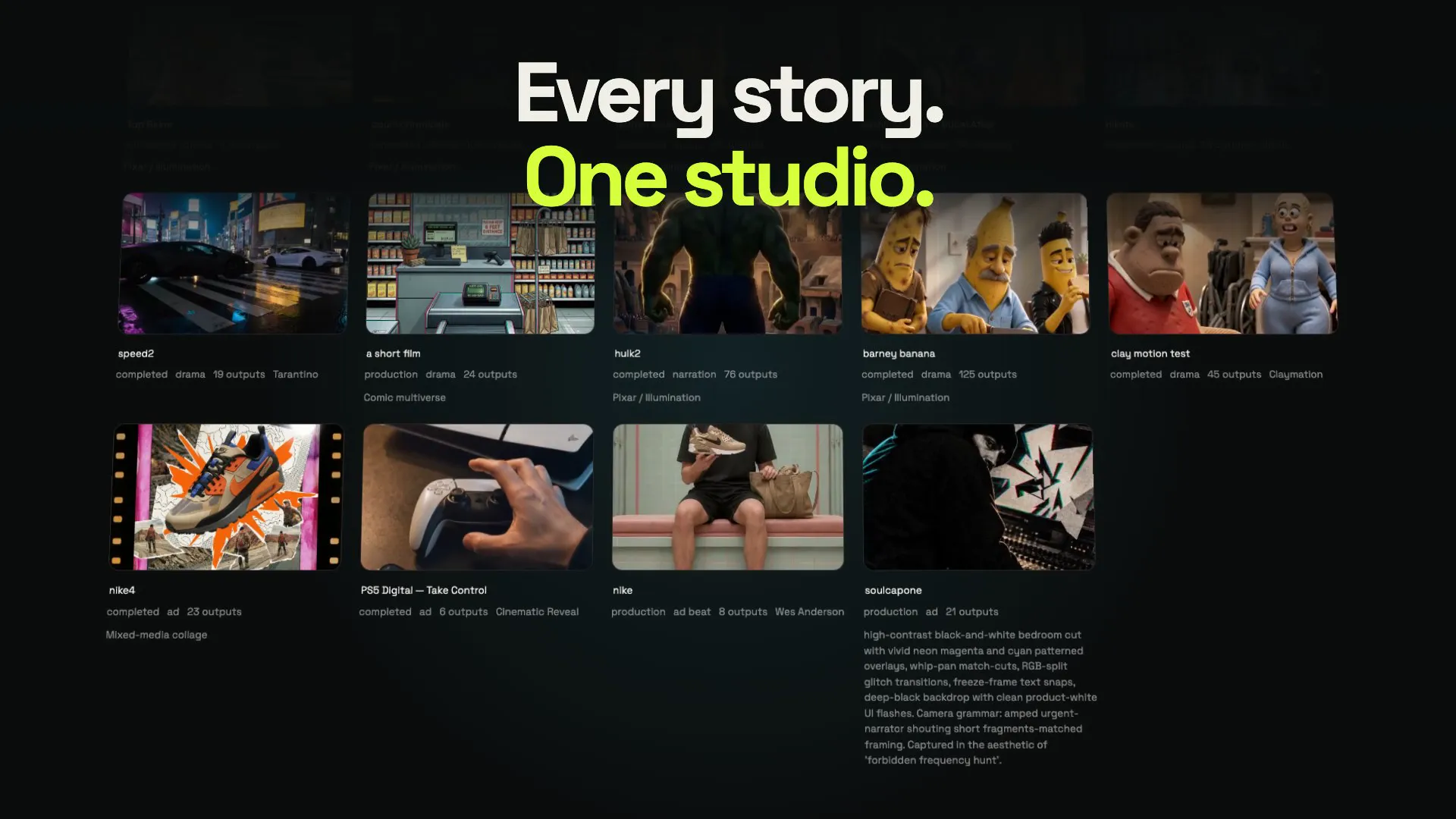
Making a short film with AI is not about finding one perfect prompt. It is the same craft as any film, with a new kind of camera: you still need a story, a cast, a plan for every shot and an edit that holds it together. This guide walks through each stage, what tends to go wrong, and how to avoid it.
1. Start with a story that fits the format
The best first AI films are short, visual and simple to follow. One to three minutes, one clear goal for the main character, one or two locations. Every extra character and location is something you will need to keep consistent.
Good starting shapes:
- A single moment with a twist. A proposal, a heist, a first meeting, and something unexpected.
- A day in a strange world. Show a place and let a character move through it.
- A tiny myth or fable. A clear beginning, middle and end, told in images.
Write your idea as one sentence: who wants what, and what gets in the way. If you can't, the film will be hard to shoot.
2. Write a script, even a short one
A script turns the idea into scenes. It does not need to be formatted perfectly, but it should say:
- Where each scene happens and at what time of day
- Who is in it and what they do
- What is said, word for word, if there is dialogue
Keep dialogue short. Spoken lines have to fit inside a clip, so a line of eight to twelve words per shot is a comfortable length.
If you are telling the story through narration, write the voice-over first. The pictures will be timed to it.
3. Choose one visual style and commit
Switching styles mid-film is the fastest way to make it look like a collage. Decide early: live-action realism, 3D animation, anime, clay, or something stranger.
In Poiema's AI film studio you pick one of more than 200 film styles for the whole project. Each style also sets how the camera moves, how characters act and how fast scenes are cut, so a clay film moves like clay and an anime moves like anime.
4. Build your cast and world before any video
This is the step most people skip, and the reason most AI films fall apart. Before you generate a single shot:
- Make a reference sheet for every character. A clear, well-lit image showing the character, ideally on a neutral background.
- Give each character their looks. If they change clothes in the story, create each outfit as a named look instead of describing it in the shot.
- Make references for key locations and props. The diner, the spaceship, the family car.
These references are what the video model sees in every shot. The full technique is in keeping characters consistent in AI video.
5. Break every scene into shots
A scene is made of shots, and each shot is one clip. For every shot, decide:
| Decision | Example |
|---|---|
| Shot size | Wide, medium, close-up, extreme close-up |
| Camera move | Static, slow push-in, pan, tracking shot, handheld |
| Action | What happens, in the order it happens |
| Lighting | Warm window light at dusk, cold neon at night |
| Who is in frame | Which characters, in which looks |
| Dialogue | The exact line spoken, if any |
Vary your shot sizes. A scene that is all wides feels distant; all close-ups feels claustrophobic. A classic pattern is wide to set the space, medium for the action, close-up for the emotion.
In Poiema, Pip, the Copilot, drafts this shot list from your script, and you edit it. See script to video for how that works.
6. Storyboard before you animate
Generate a still frame for each shot first. It is faster and cheaper than generating video, and it shows you problems early: a character in the wrong outfit, a location that doesn't match, a composition that doesn't read.
Fix the board, then animate. A good first frame gives the video model a precise starting point. The AI storyboard generator page covers this step.
7. Generate the shots, and pick the right model for each
Different video models have different strengths. In practice:
- Dialogue and close-ups need a model that handles faces and lip movement well.
- Action and fast motion need a model with strong physics.
- Stylised animation often looks best on models tuned for it.
Poiema lets you choose the model shot by shot, from Veo and Kling to Seedance and Runway, while your characters and locations stay the same.
Expect to generate more than one take of important shots. Keep the best, and don't chase perfection on shots that are on screen for two seconds.
8. Sound makes it a film
Silent AI clips feel like demos. Sound makes them a film:
- Dialogue and voice-over. Use consistent voices for each character. Poiema offers ElevenLabs and Cartesia voices.
- Ambience. Rain, traffic, room tone. It glues shots together.
- Music. Choose it early; cutting to the beat makes a short feel intentional.
9. Edit for rhythm
Assemble the shots in order and watch the whole film. Then cut hard:
- Trim the start and end of every clip. AI clips often have a slow first second.
- Remove any shot that repeats information.
- Let emotional moments breathe; cut action quickly.
Poiema assembles the sequence and exports the finished video, or sends it to CapCut for detailed editing.
10. Share it and make the next one
Export in the right shape for where it will live: vertical 9:16 for TikTok, Reels and Shorts, horizontal 16:9 for YouTube. Then start the next one. Your cast and world are still in the project, ready for episode two.
A simple checklist
- [ ] One-sentence story
- [ ] Short script with exact dialogue
- [ ] One visual style for the whole film
- [ ] Reference sheets for every character, location and key prop
- [ ] Shot list with size, camera, action, lighting and cast
- [ ] Storyboard frames reviewed and fixed
- [ ] Shots generated with the right model for each
- [ ] Voices, ambience and music
- [ ] Tight edit, exported in the right format